Free supervision log template
A plain spreadsheet for your supervised hours. Free, no sign-up, no email needed. Open it in Excel, Google Sheets or Numbers and start typing.
It is a CSV file. Every spreadsheet app opens one. In Google Sheets use File, then Import, then Upload.
The three example rows.
The file comes with these rows so you can see the shape. Delete them and put your own in.
What each column means.
You can put hours instead of minutes: rename the Minutes column to Hours and write 0.75. Keep one row per session.
- DateNeeded
- The day of the session, as 2026-09-01.
- MinutesNeeded
- Whole minutes. 50, not 0.83.
- CategoryNeeded
- Direct client contact, Couples or family session, Individual supervision, Group supervision, or Other professional work.
- ModalityOptional
- In person, Virtual or Phone.
- SiteOptional
- Where you worked. A place, never a client.
- SupervisorOptional
- The supervisor's name.
- Group sizeOptional
- How many people were in a group supervision.
- NoteOptional
- A short reminder for you. Never a client name.
Import it into HourSign. No column mapping.
The column names in this file are exactly the ones HourSign's importer reads. So when you upload it, HourSign matches every column by itself. Nothing to map, nothing to rename.
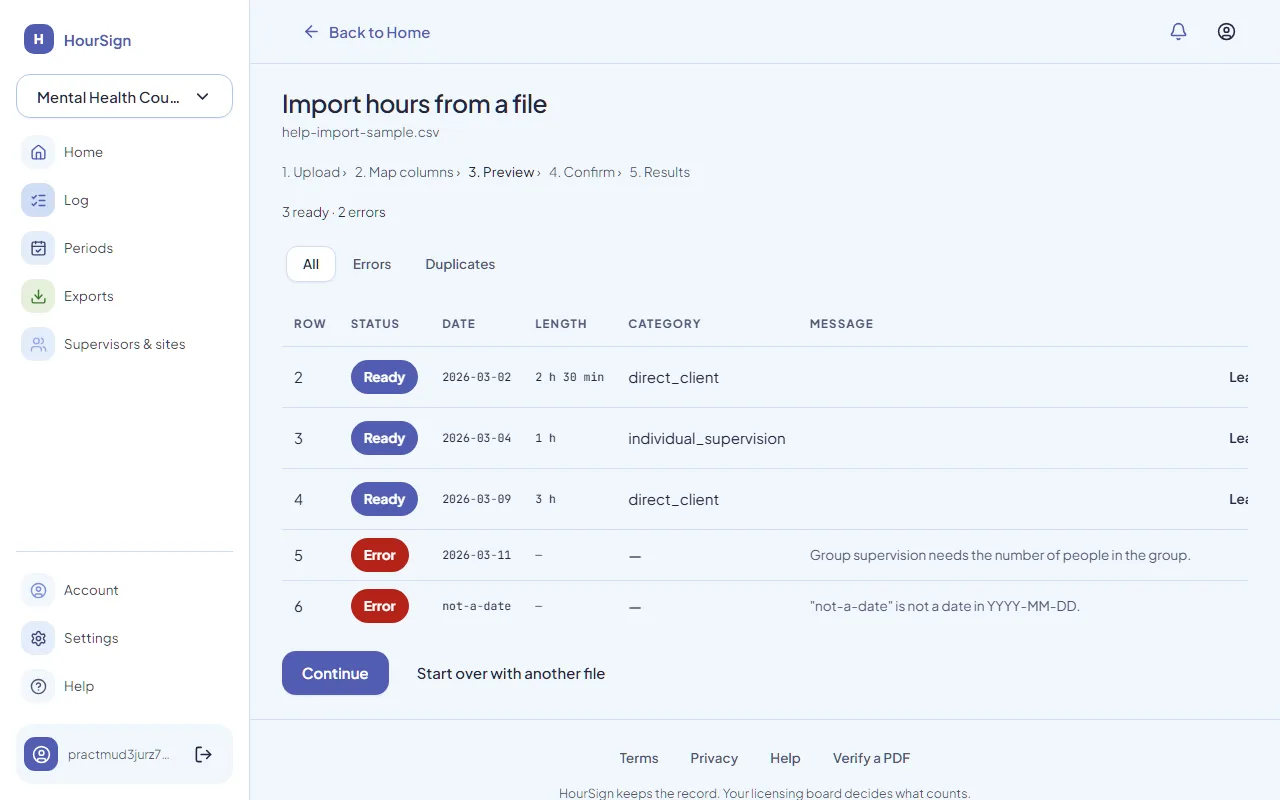
In HourSign, open Import, choose the "HourSign spreadsheet" preset, upload the file, check the rows it found, and commit. Rows it cannot read are listed with the reason, and nothing is saved until you say so.
Two rules, whichever tool you use.
Never write a client name
Fill it in the same week
What a spreadsheet cannot do.
It cannot get a supervisor's signature, and it cannot prove the numbers were not changed later. If that matters to you, see how HourSign compares. If it does not, keep the spreadsheet. It is free and it is yours.